The table browser is a great tool but it can be hard to find the fields you’re looking for in the grid. Standard Ax either shows all fields or the fields in the AutoReport field group.
Sometimes I like to use another field group so I added that option to the table browser. Now I can use any field group defined on the table. Filtering out the irrelevant fields makes browsing the data a lot easier.
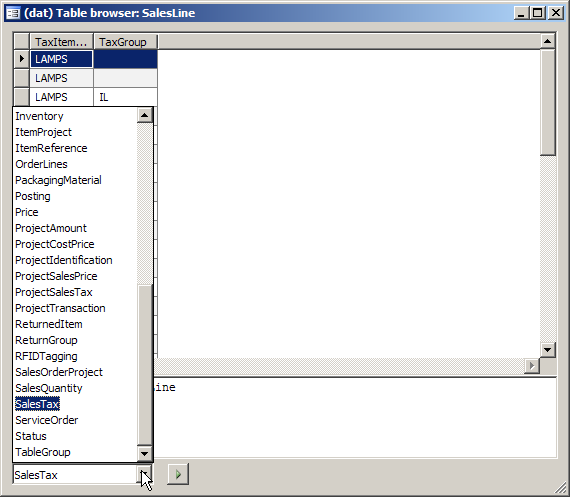
It wasn’t too hard to implement. Standard Ax code can already handle any field group but there is no way to choose one. On the form SysTableBrowser I replaced the radio button with a combobox and then modified the class SysTableBrowser to use that instead of the radio button.
Hi there (im sorry i dont know your name,coz u dont mention it)
Can i have xpo in DAX 3.0 sp 3 ?
Thx before
Sorry, I don’t have a 3.0 XPO. The changes to standard Ax are minimal, so perhaps you can backport it. To see the changes try comparing this XPO to a standard application if possible.